I’ve already written about putting subtitle detection into the aspect ratio autodetection algorithm. In the post, I’ve said that the autodetection seems pretty bang on, and for the most part … yeah, it is.
The problem is that there are cases that fall outside “for the most part.” Specifically on dark frames (but sometimes even on brighter ones), autodetection has a bit of a problem keeping aspect ratio stable. Because see: compression artifacts exist. The thing that looks like a black bar to you might contain a bunch of colorful splotches, which can sometimes be bright enough to register on the line scan.
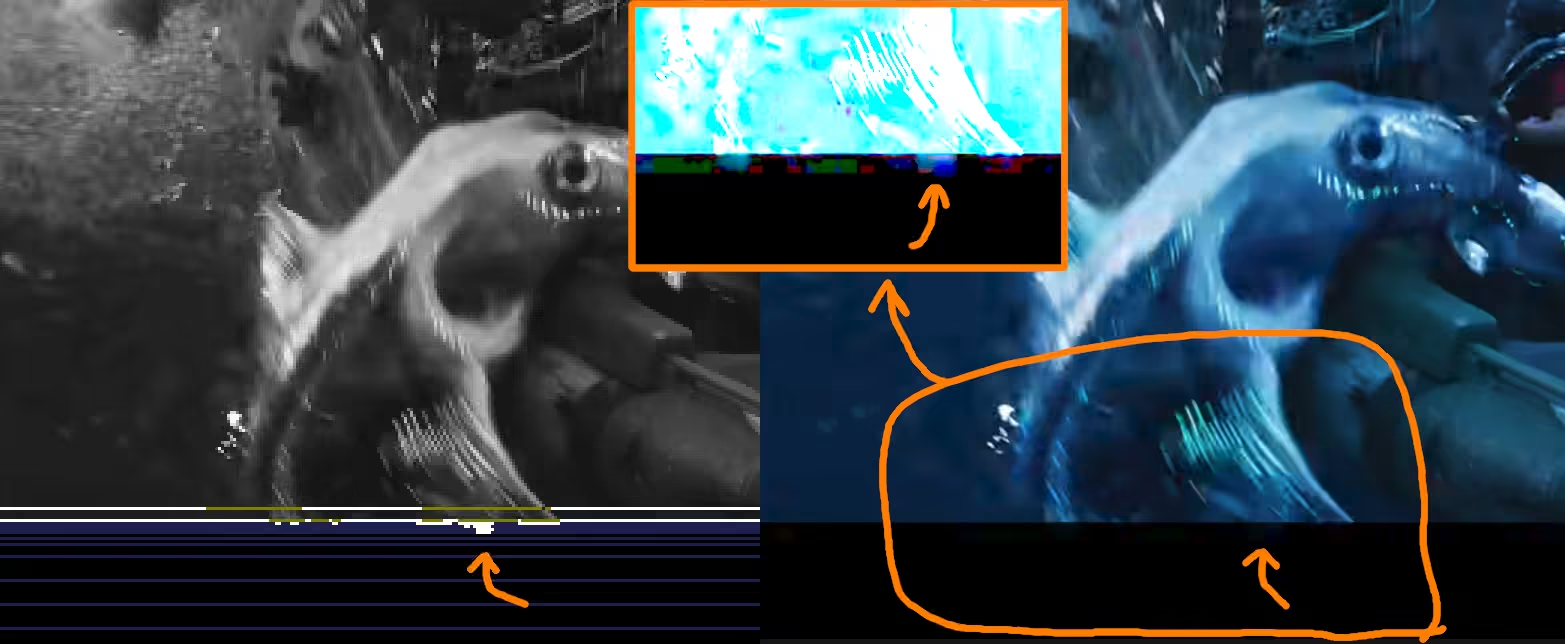
If there’s too many such artifacts that blink in and out of existence, autodetection will register that as aspect ratio change; as currently the edges are defined by asking ourselves a question “are there at least X pixels brighter than Y,” and X and Y are both fairly low? There is a setting that prevents aspect ratio correction for triggering on small changes (and I could also raise minimum brightness level that counts as ‘not letterbox’, but as I was playing around with the parameter it turned out that there’s really no clear line that differentiated “this is a false detection” from “this is not a false detection.” To make things worse — if you raise the thresholds too much, detection errors raise dramatically.
So how do we improve from that?
Well, for the purposes of subtitle detection, we no longer have just a single threshold. What if we start trusting brighter pixels more?
Instead of counting pixels that are brighter than some value and compare them to some threshold number, we instead define a certainty threshold. When we scan a line, we start keeping a score. Darker pixels contribute 1 point, middle values contribute 2, brightest pixels contribute 3.
Before implementation, my “benchmark” video produces graph that looks like this (look at line becoming slightly squiggly near the middle):
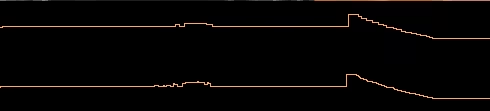
y: aspect ratio, x: time.
After implementation, the same graph on the same segment looks like this:
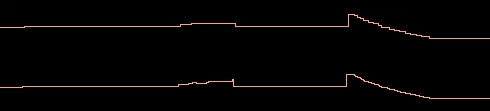
y: aspect ratio, x: time.
If you would look at the lines near the middle, the line appears a lot less squiggly, which indicates fewer aspect ratio changes. However: it’s still only ‘fewer’, not ‘none’. So what’s going on there?
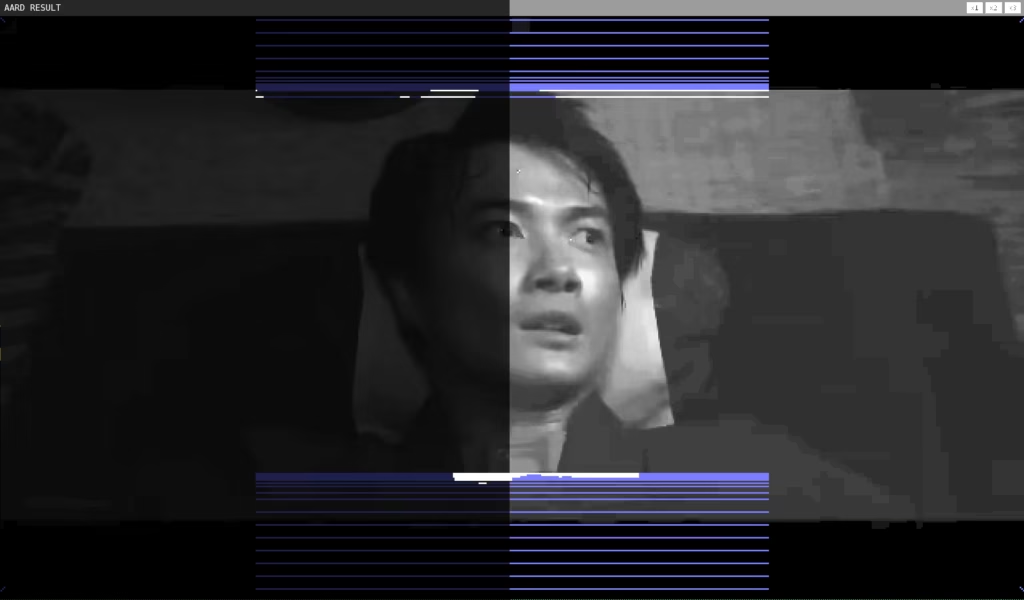
Yes, it’s a dark frame with a fuzzy border. Blue lines indicate that almost all pixels are too dark, even though there’s probably enough difference for us to safely infer the existence and position of the letter box. So what can we do? We can’t simply lower the image threshold (otherwise we’ll run into issues on videos with more compression artifacts) … however, isn’t out certainty score pretty much just a sum of pixel brightnesses with extra steps? What if we removed those extra steps?
To test things out, I started keeping track of the average brightness in a scanned row, and results were promising: when we switch from black to very-dark-but-not-black, we can see that there’s quite a bit of difference. In the letterbox, averages are similar. Above letterbox, first few averages are also similar. However, there is a noticeable difference between the two:
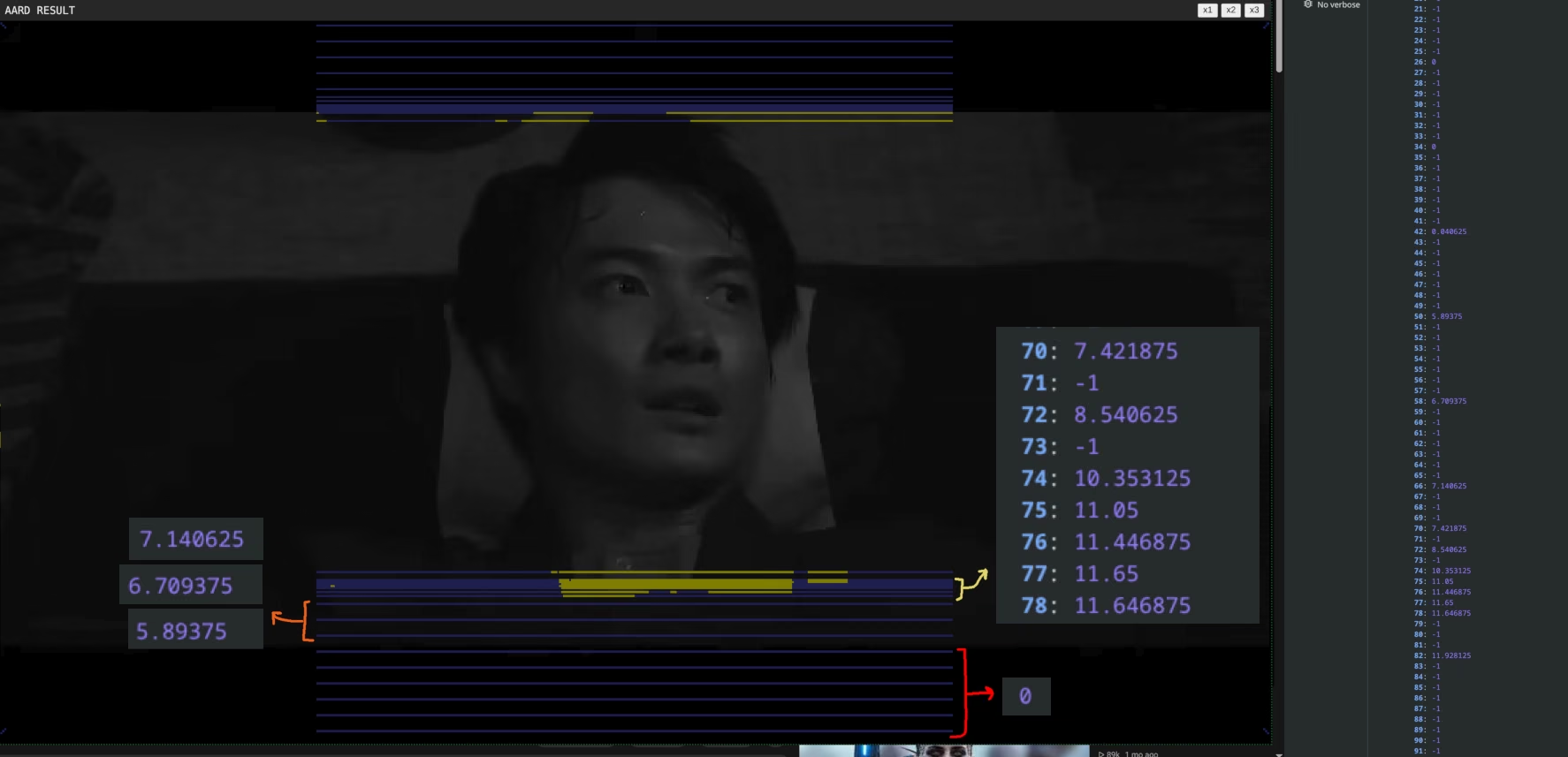
Now, I can see that the bottom edge does appear to be a bit blurry, so trying to detect and correct off this difference isn’t the wisest choice even with all other improvements … but we can use it as a sanity check. If this method detects an edge in a different place than our normal detection, that probably means image is too dark for auto-detection to be accurate.
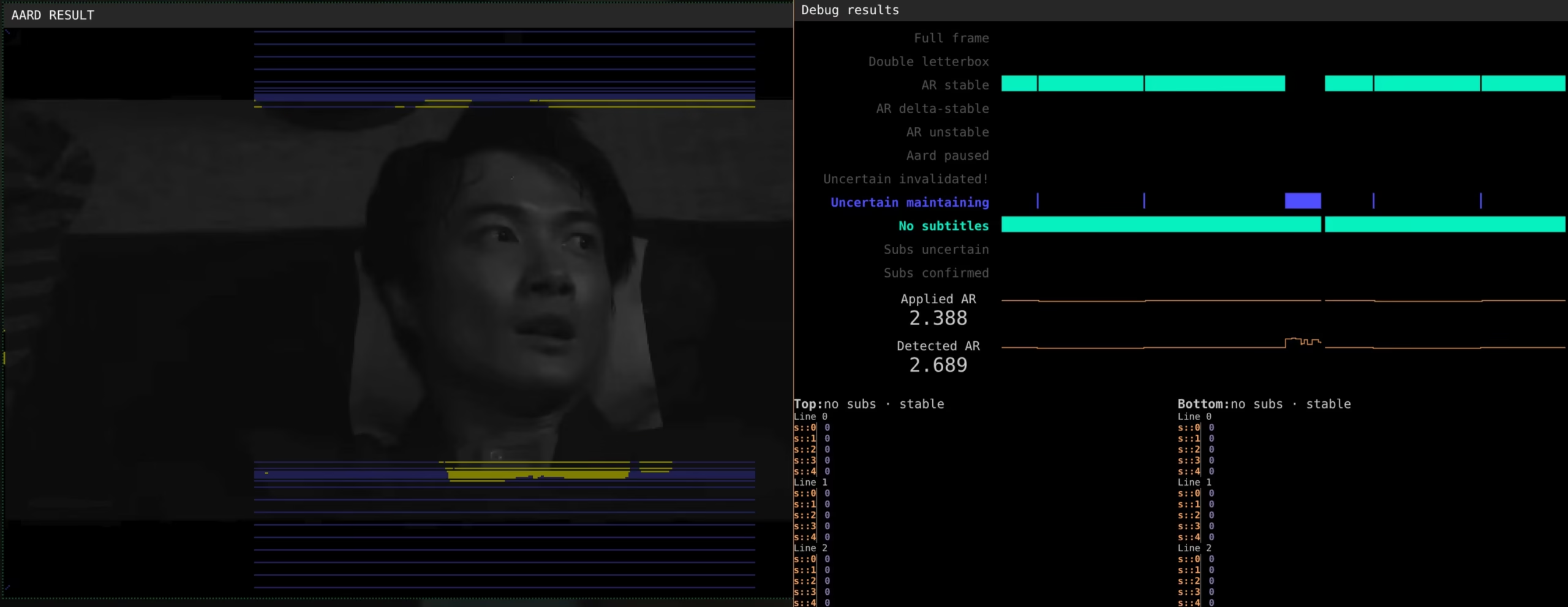
And after a little bit of tuning, this approach seems to kinda work? Previously, this section of the video was causing faulty cropping. Now, extension marks it as “uncertain” and maintains the aspect ratio from the previous scene:
What about performance?
As usual, we will make some assumptions. Assumptions are generally not the best thing to rely on — but at the end of the day, the simple ugly truth is that it’s impossible to not assume. The line needs to be somewhere.
Since ultrawide monitors still come with a bit of a premium, I think it’s safe to assume that someone who can fork out some extra money for an ultrawide can also afford to fork out some extra money for a decent rig. Ryzen 7 5700 + 2080ti used to be the bougie option in 2018012018 option was actually 2700X, but I upgraded to 5700 in 2025 in order to get integrated graphics card (Linux + looking glass + PCIe passthrough, so I could avoid rebooting into windows when I wanted to play games. In 2026, though, it’s decidedly mid-range, which makes it a fair baseline for “most people using this addon won’t have hardware that’s significantly worse than this.”
I’ll also fish my 2015 laptop with i7 4xxx-something and Nvidia GTX 965M out of the storage bin. This used to be a solid mid-tier option in 2015. Today, there’s very few people who rock both an ultrawide monitor and hardware that’s this bad or worse (though since this laptop has been upgraded to 32 gigs of RAM 5 years ago and 1.5 TB of SSD storage across two disks, there’s a good chance it’s worth more today than what I spent on it and all the upgrades combined. Go figure).
With that out of the way:
Performance in Google Chrome
On 2080ti, autodetection uses 3-4 milliseconds on average for 4k content and 1-2 ms on 1080p, with rare bursts up 5-6 ms. It doesn’t matter if it’s the first video or if put on some movie trailers before I go to work. For a few hours (5-6 hours), things seem to be fairly responsive. However, after sitting in the background on autoplay for 10+ hours (long enough for youtube to switch from movie trailer to full AI slop movies), youtube started to become unresponsive.
On my i7 4720HQ + GTX 965M, things also look fairly okay. Even on 4K, autodetection seems to use ~10 ms on average (although things are much more variable with wild swings from run to run, with brief single-run spikes that go up to 20 ms) — and as usual, most of the time cost is down to how fast GPU can draw and get data from the video frames (blue bar on the performance chart at the top). Actual detection logic (yellow part of the performance chart) is still almost negligible. The laptop doesn’t even complain, either — the fans don’t even spin up … although your mileage may vary, because my laptop is one of those gaming laptops with ridiculous cooling ducts at the back (google ASUS ROG G750 for references) … and despite the ridiculous appearance, those things made a very big difference when it came to performance. That is to say: if your laptop has shit cooling, it might disagree with my findings. On 1440p and 1080p, things run even faster, which is good news. I can actually do uncapped sampling by default (probably).
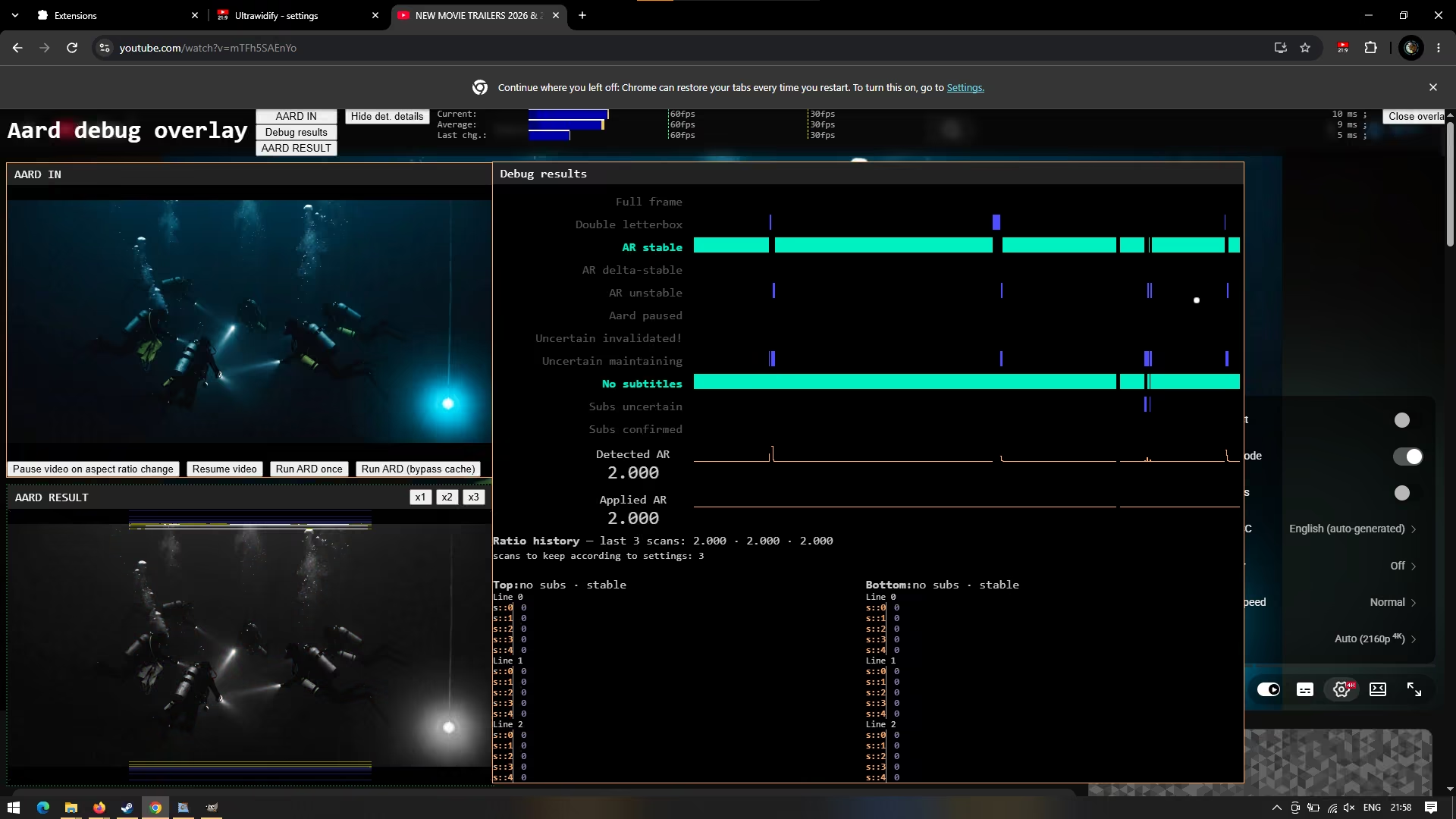
I also re-ran the “long-term” test overnight, as previous test might have been affected by the fact that I was using my computer. This time, I let the browsers run without using my computer in the mean time. I got slightly different results.
I put on some videos before going to bed. When I woke up 8 hours later, I checked the responsiveness.
On my desktop, youtube was normally interactable both 8 hours later, and 4 hours after that (12 hours since the start).
On my laptop, Youtube webpage was fairly unresponsive for a bit when I first touched the browser after 8 hours of idle playback, but eventually (within a minute or two) the youtube tab became normally interactable again. Then, after 4 more hours of idle playback, page remained normally responsive.
I think this should be acceptable enough.
Performance in Firefox
This is where things get a bit problematic. At least on my desktop/Linux, performance on 4K videos isn’t great, with autodetection taking up 25-30 ms per scan (8-10 ms on 1080p). Most of those 25-30 ms is spent by browser rendering the video, though, and that doesn’t happen on or block the main thread, so youtube remains interactable (nor does there appear to be any more stuttering and/or dropped frames than usual). The only side effect of long rendering appears to be detection latency and potentially reduced detection scan frequency — or in simple English: nothing that would have any effect on the user, other than small delay in applying aspect ratio corrections.
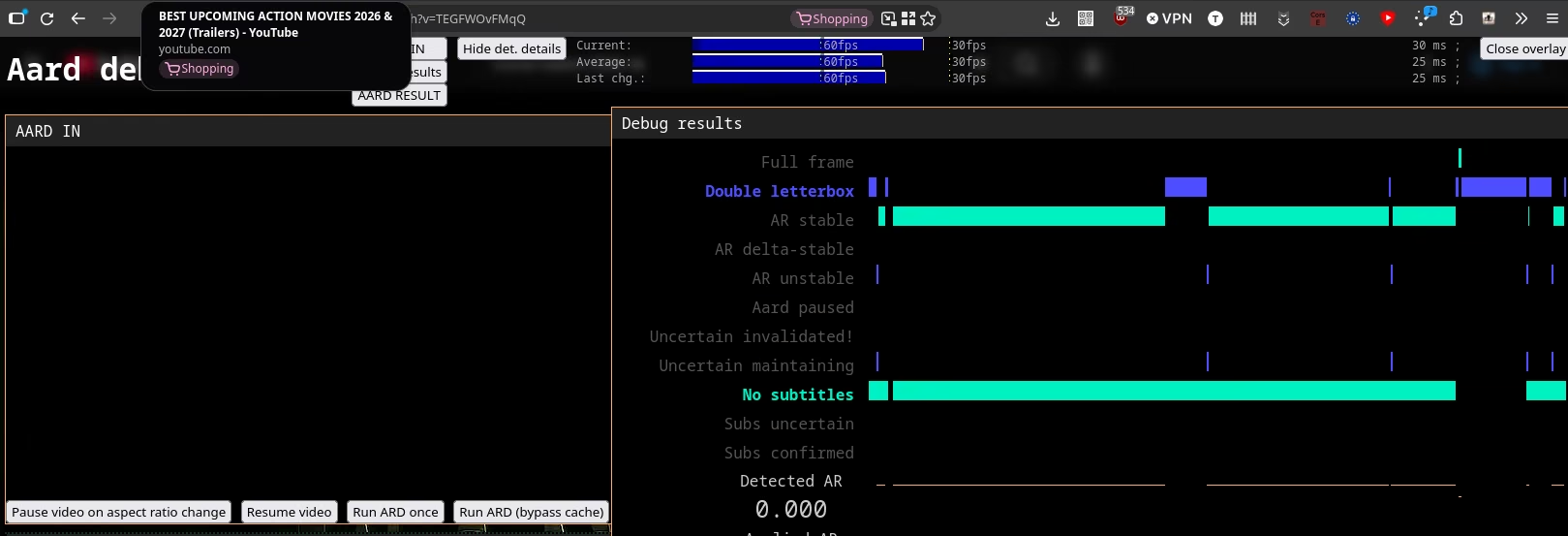
On i7 4720HQ + GTX 965M performs more or less the way you’d expect. 50-60 ms on 4k, 15-20ms on 1080p (with all the same caveats as before).
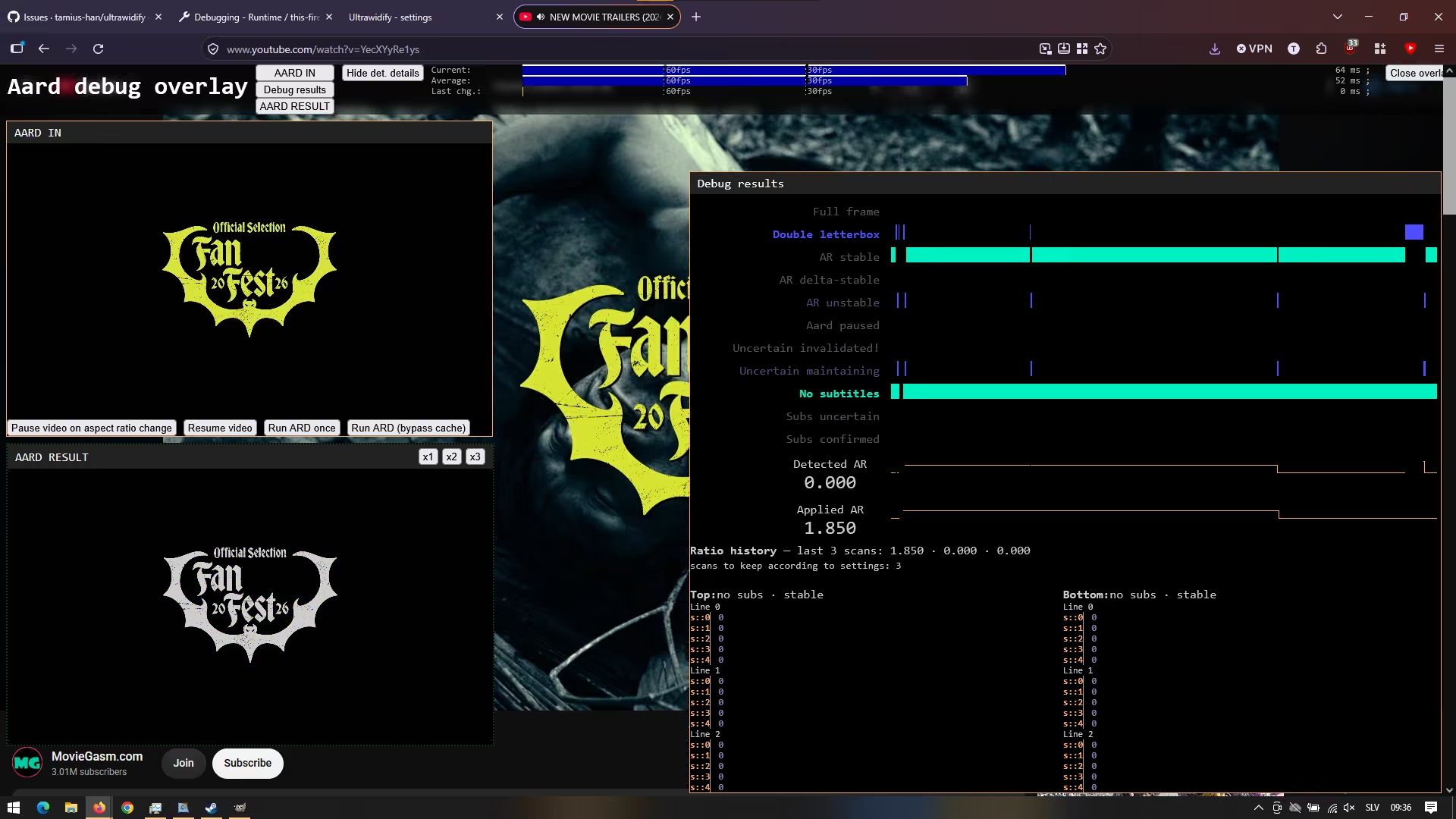
Fortunately, the blue part of the performance chart doesn’t happen on the main thread, with youtube remaining normally interractable (and video playback appearing normal).
Firefox also got the overnight test, and on my desktop, the site was normally interactable both when I woke up (8 hours later), as well as 4 hours after that (after 12 hours of more-or-less continuous playback).
On my laptop, “overnight test” was performed while at work. Since I work from home, I couldn’t help but to be tempted to touch things at the 3 hour mark. I got the same “youtube is not very responsive” issue at that point, and — much like with Chrome earlier — youtube became responsive again within a minute or so. But as long as I interacted with the video every now and then, everything ran without issues.
The “control group” test reveals that the laptop issues are being casued by the addon, but given I have to resort to 10+ year old hardware to make them happen (as, again, things run fine on Ryzen 7 5700G + 2080ti) … I think that I get to play “good enough” and “not planning to do anything about that” cards here with clean conscience. After all, I suspect this issue is being caused by things that extension needs to do in order to achieve the only two reasons you’d consider using Ultrawidify over the alternatives — specifically, autodetection and the part where extension by default only crops double letterboxing and stops cropping once the video starts touching one sets of monitor edges.
So I have an executive decision to make. Let’s look at the facts.
- testing saw minor performance issues only after long period of non-interaction
- only on my old laptop, not on my PC
- even then, i was only slightly annoyed by the temporary slowdown, wasn’t that bad
- still better performance than current firefox version. Things are getting bit better rather than worse
Yeah. This is good enough. Time to start the rollout, before my other projects get too delayed again.