The morning started well enough. After designing the ear animatronics until 3 in the morning the previous night, I woke up to a bunch of e-mails and SMSes that announced my aliexpress order will be delivered. Unfortunately, that was my secondary/plan B camera instead of the main one. Fortunately, that’s still enough to do some quick testing.
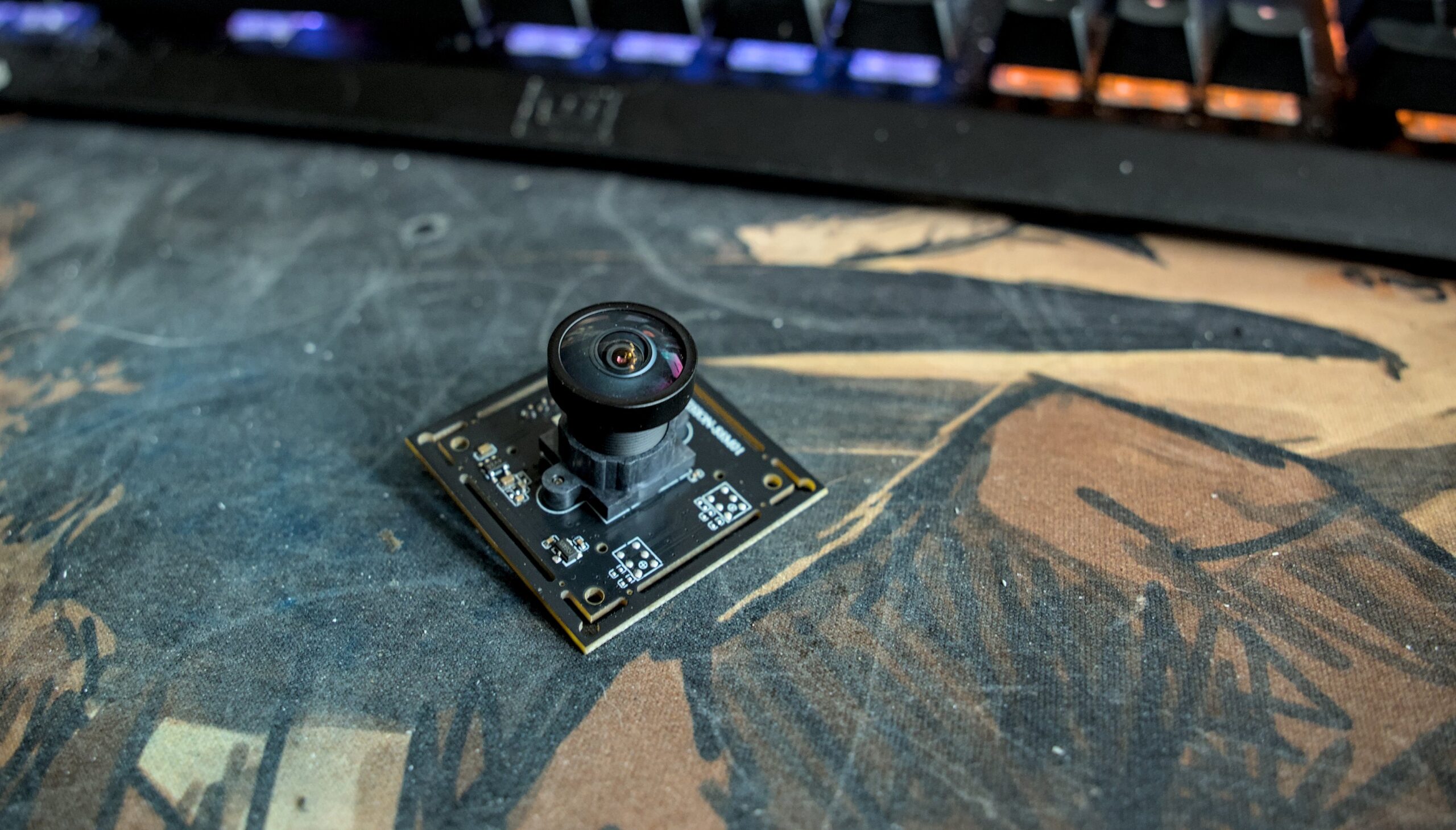
So I connect the camera to my computer with the USB cable, pull up OBS and configure the camera. Obviously, I immediately max it out to see if Xinnie express listing was lying, because 3000-something by 2000-something at 15 fps over USB 2.0 connection seemed a bit like a stretch. And it seems that, sure enough, camera is capable of doing that. Neat.
HOWEVER.
I didn’t buy this camera for it’s too much by too much at 15 fps. I bought it for small by small at 30, or — in case main camera doesn’t show up — 2k30012560×1440 is not 2K. 1920×1080 is 2k, and whoever decided to call 1440p “2k” deserves to be continuously tased for a week, and then shot (repeatedly) if they’re still alive. Last but not least, someone needs to blow up a nuke in the center of a certain O-shaped building in Cupertino so that this kind of thing never ever happens again. because 30fps is the bare minimum for seeing outside.
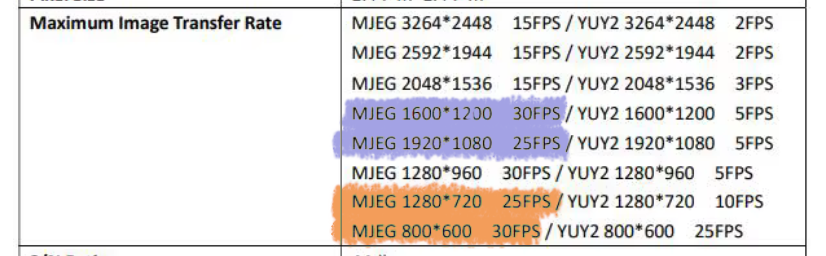
And that’s kinda where we run into problems. Because see, OBS still only gives me 15 fps at 800×600:
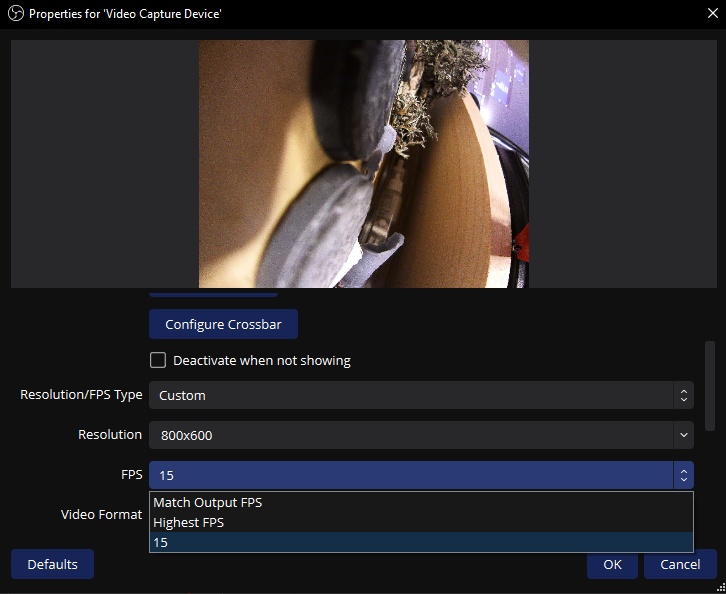
But fine. This camera will only be used to look at the ground. 15fps is serviceable for this purpose. We’ll survive.
However, I’m not gonna be carrying my PC while in the costume. I’m gonna be running the cameras from Steam Deck. Initially, I didn’t intend to use OBS for that. Instead, the options were:
- make a quick HTML layout, open it in Chrome, and stream camera feeds to there
- ask ChatGPT to give me a light program that displays camera feeds
with both options including some light HUD/UI overlays that would allow me to control what “extras” are running and which ones aren’t. But before we do that, I needed to test if things work — and there’s nothing more handy for that purpose than command line. First results weren’t very encouraging: the command line utility absolutely couldn’t get me anywhere near the advertised resolutions and framerates. For the max resolution, ffplay couldn’t go beyond 2 fps. For 720p, the limit was 10.
This was followed by about 10 minutes of trying to get things to work with a side dish of “holy shit did I just screw myself,” but at the end of the day … if OBS (sorta-)worked on Windows, then surely it has to also work on Linux? This is a lot less sure “yes” as you’d think (problems usually starts not with OBS, which should work similarly on both OSes, but with drivers — and those can be very different between Windows and Linux), but after installing OBS I was getting that sweet sweet 15 fps on Steam Deck as well.
Other than that, the camera is pretty meh. It has poor dynamic range, and is about as bright as it gets in light conditions:
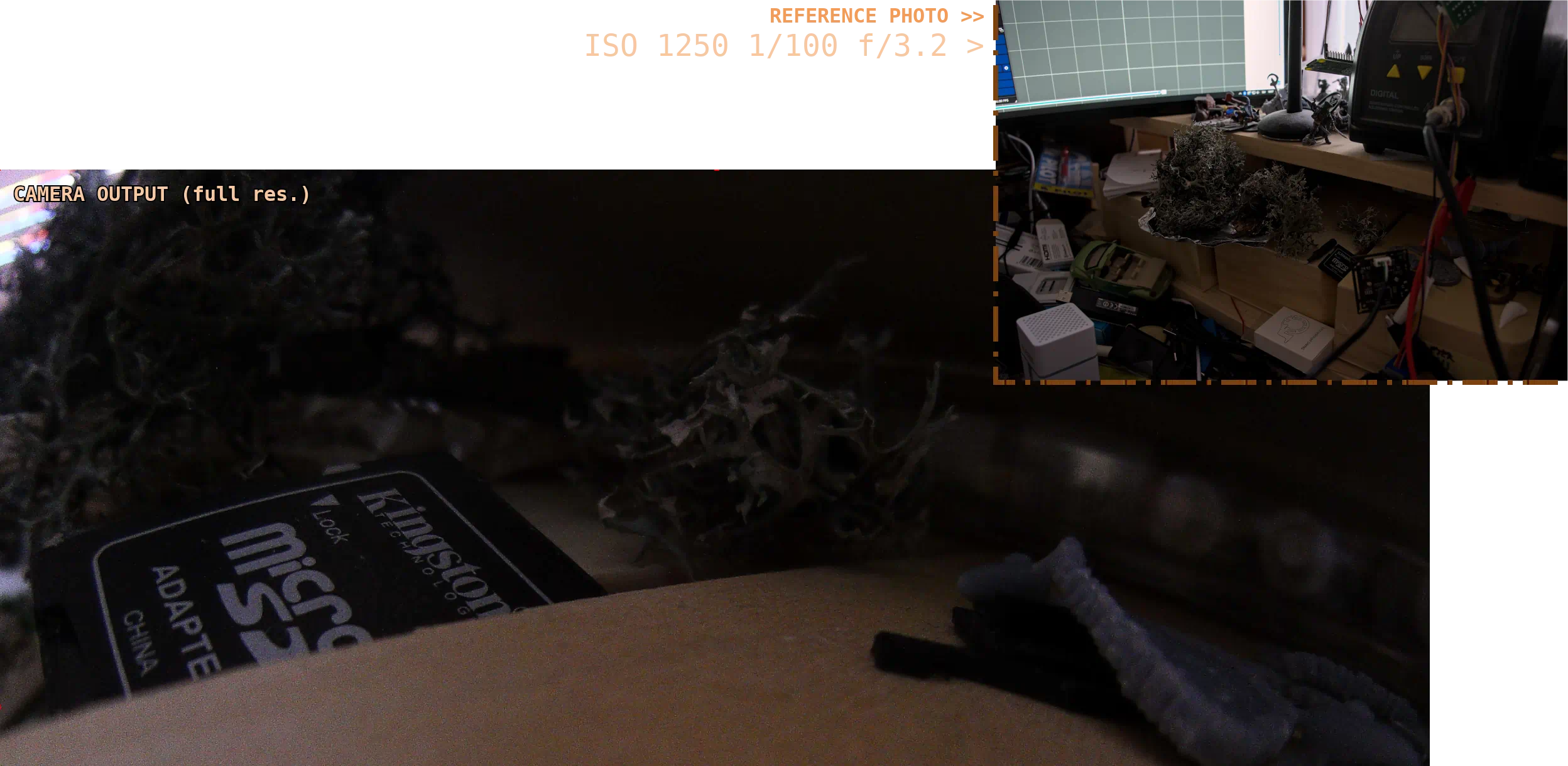
More worryingly, the camera has a strong bias towards exposing for the brightest thing in the shot. Do you a small but very bright (compared to the rest of the scene) object in your field of view? Camera will expose for it, even if it means underexposing the rest of the image.
I get that you can’t expect too much from a €35 camera, but eeeeh. I guess I need to mentally prepare myself to dealing with bullshit.
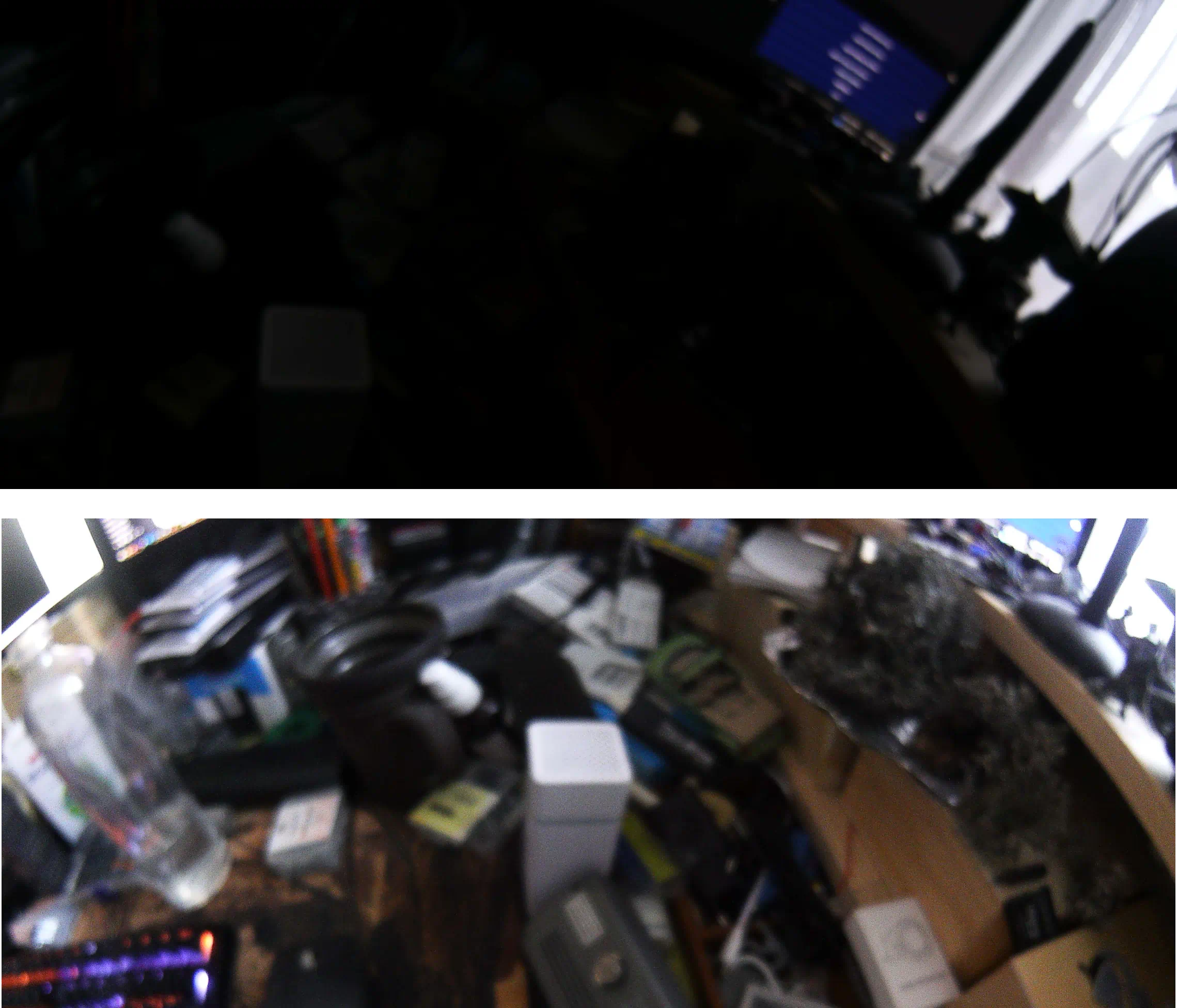
In low-light situations, the image also becomes extremely blurry, which is a shame. I get that I can’t really set my expectations sky-high for a €35 camera, but even at the edge of camera’s capabilities, ISO noise remains surprisingly low and had I had the option to trade bit higher ISO noise for faster shutter, I would. ISO noise isn’t that much of a concern for my usecase.
The primary camera (& the rest of the gang)
It took about another week for the rest of the cameras to arrive. Finally, I have my main and my rear-view cameras.
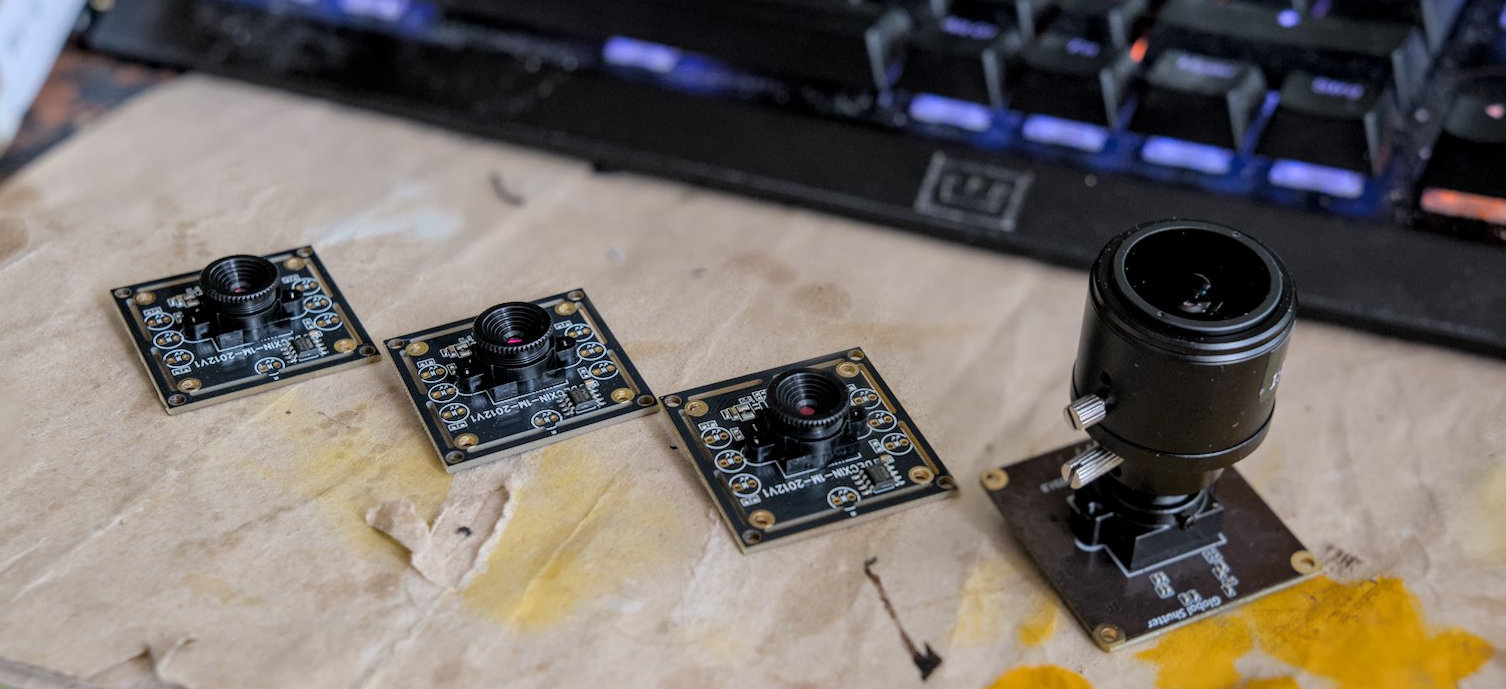
We’re not gonna go through the process of setting up each camera in OBS again, because it was more of the same, except for the part where framerates in the dropdown actually matched what was advertised. At least for the most part, the 90fps big boi only went up to 60 — but this probably had more to do with OBS settings/Windows (as I got the 90fps on Linux), so I didn’t investigate further for obvious reasons12reason being: this setup needs to run on my Steam Deck, I don’t care about Windows.
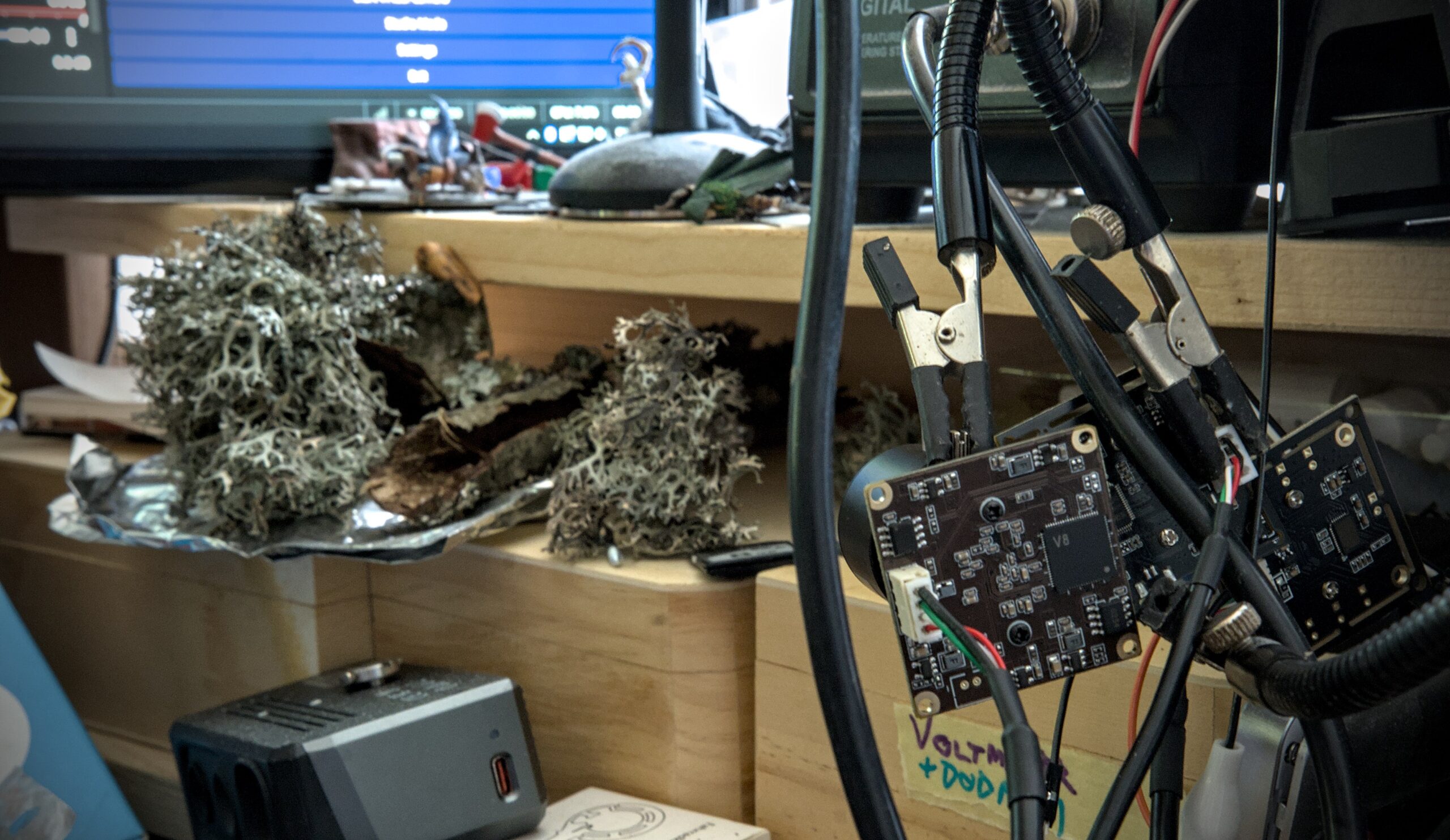
I then proceeded to do a quick side-by-side comparison using a layout that vaguely resembled the intended use (both on screen, but more importantly also on how everything is plugged into the computer).
Here’s the setup:
Here’s the feed:
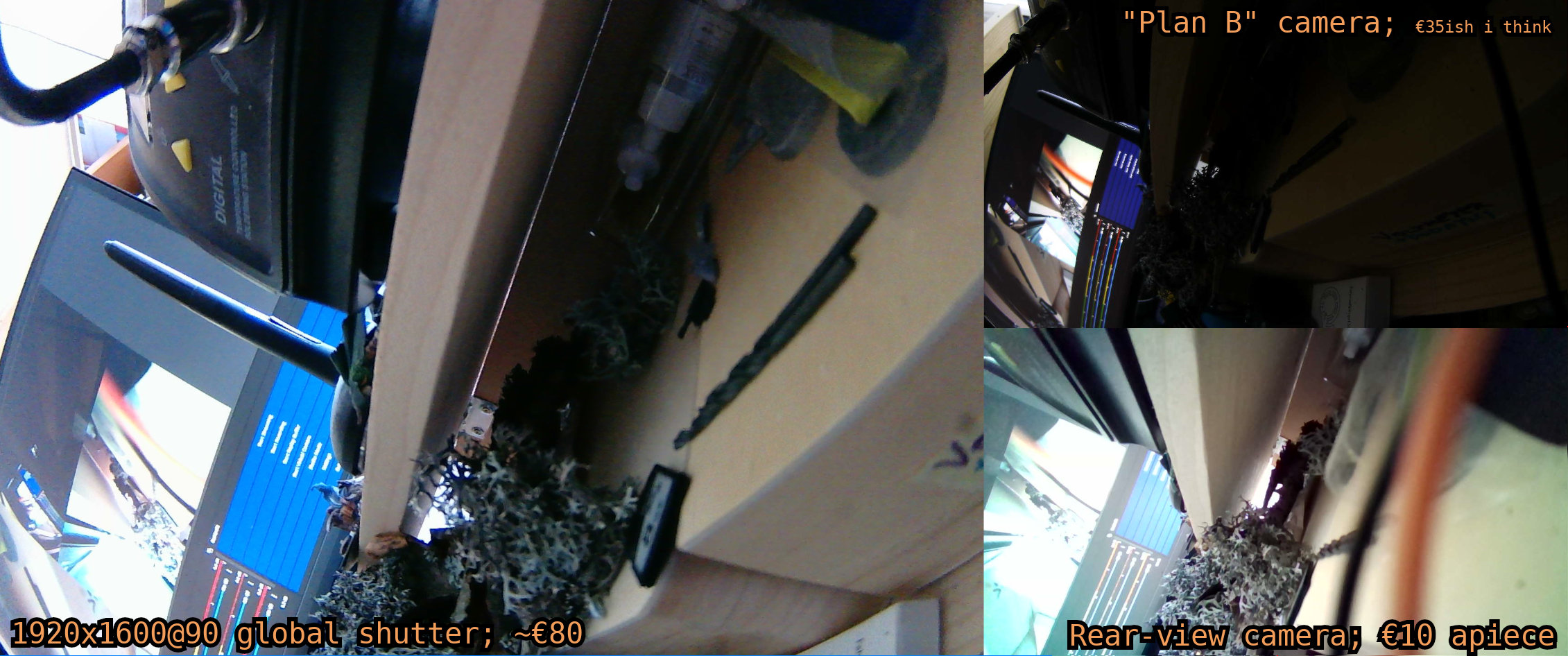
Granted, neither of those cameras will win any awards in image quality department, but our only requirement here is to be functional — and two out of three cameras are perfectly serviceable for our needs. Grainy image won’t kill us, and a single cast of “protection from good and evil” will render those chromatic aberrations harmless for the duration of the con.
However, testing things on my computer reveals a few problems. This setup isn’t very robust: if any of the cables becomes unplugged, the camera doesn’t come back up by itself once cable is re-plugged. You need to interact with the UI in order to bring cameras back online. For global shutter and cheapoExpress cameras, restarting OBS tends to be enough. Plan B camera is even a lot more finnicky than that — sometimes, it won’t come back automatically after you restart OBS. Instead, it seemingly requires a random combination of restarting OBS, deactivating and re-activating the camera within OBS, opening the settings dialog in OBS and switching one of the dropdowns to a different option and then back again, and/or doing another plug/unplug cycle. So basically, that’s a bunch of things that (with sole exception of restarting OBS) won’t be able to do while wearing that costume.
I don’t like this.
But I can survive, especially if it’s only an issue with the secondary camera.
Setting up the Steam Deck
As stated before: this setup will have to run on a Steam Deck, not on my PC. So I unplugged the USB hub with the cameras from my PC and plugged it into the type C dock that’s plugged into my Steam deck. Then I opened OBS and tried to add all three cams to the scene. There was only one problem:
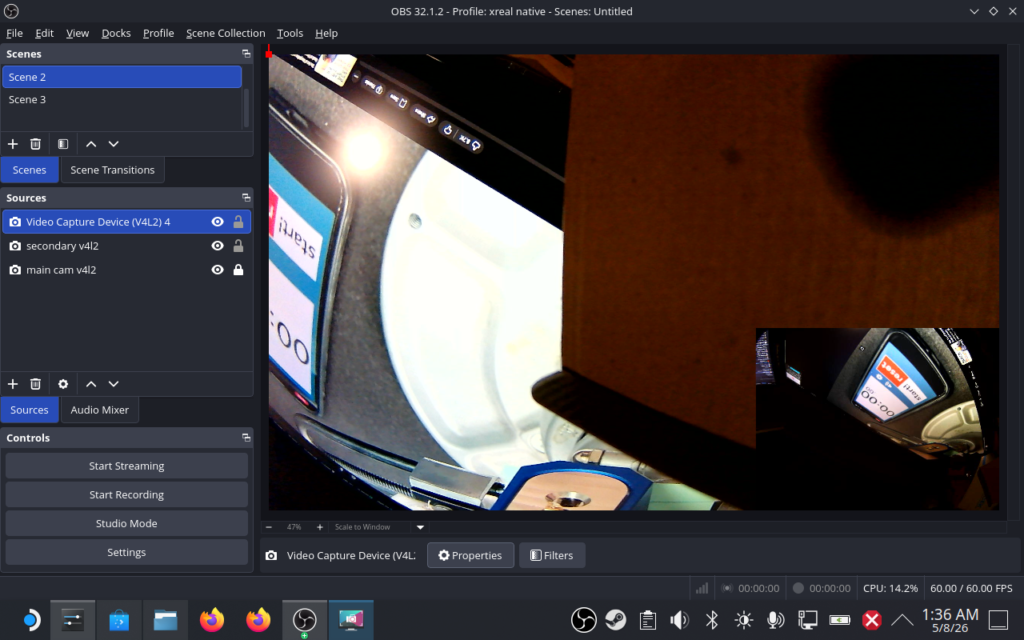
Only two cams. What gives?
So. Steam Deck gives you one type C port, and the spec sheet says said type C port is of the USB 3.2 Gen 2 variety. Supports DP alt mode at up to 8k60, or 4k120. My glases are 1920×1600@120, which shouldn’t come even close to maxxing out the bandwidth, leaving plenty of bandwidth for USB. A man would naively think that that this would leave enough bandwidth for the cameras, however such thinking would miss a tiny — but a very important — detail.
USB2 devices don’t get the benefit of USB3 speeds.
And also: USB3 hubs don’t convert USB2 traffic to USB3 traffic.
Or in other words: if you plug USB2 devices into USB3 hub, they’re still get to share 480 Mb/s between them (and that’s the best case scenario).
But are two devices enough to gobble up all the bandwidth?
Alexa, play vsauce music.
dmesg23On Linux, dmesg and journalctl are command line tools that list events and errors that the OS encounters says that this is indeed the case:
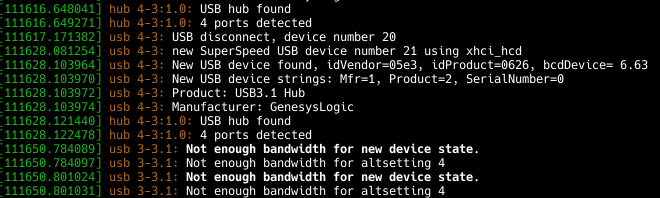
But can we really trust the logs? Because we use Linux, we can safely assume that there’s an easily accessible tool that will show us how much bandwidth various USB devices actually use. And the output suggests that main and cheapo cameras only take up ~35 Mb/s — far cry from the theoretical maximum.

Oh, and while I still have the soapbox. Important notice:
1k = 1000 (10³), 1M = 10⁶, 1G = 10⁹, etc.. Hard drives are not the only thing that respects SI prefixes — network transfer speeds and bitrates generally also don’t abuse SI prefixes. If you don’t agree, here’s the complete USB 2.0 spec. Download it and open
usb_20.pdf and scroll down to table 5-3. Is there a 62914560 in the ‘max’ line of the ‘bytes/second’ column? No? Then shut the fuck up.Where’s my ‘discrepancy detected’ button?
Maybe it’s time to see what ‘not enough bandwidth for new device state’ actually means. After long hours of googling it turns out that the USB devices can tell computer “hey, I need [this much] bandwidth.” Is it possible that device is lying?
Maybe it can. Because we’re on Linux, we can tell the driver to never ever trust the reservations provided by the device, and to calculate its own limits:
# rmmod uvcvideo
(unplug USB hub here)
# modprobe uvcvideo quirks=0x80
(plug USB hub back in here)
If the device is truly in excessive bandwidth reservations, this should save us from this error. Did it? No. Cameras still don’t work. Eventually, things start to point out at the other option:
usbtop is lying.
And yes, of course it turns out usbtop is lying. Program says that it’s giving speeds in kb/s. It’s actually secretly using kiB/s without telling anyone. The difference between the two is almost an entire order of magnitude. Making a mistake like this in a program should carry capital punishment.
If we’re completely fair, half of the reason the program was giving me incorrect units was the fact that I installed it from AUR, and AUR version was missing a few years of updates. So the developer would dodge the death penalty, but not the life without parole due to using kiB/s instead of kB/s, and due to incorrectly capitalizing the ‘k’.
Again, refer to the USB spec from earlier. USB standard uses decimal prefixes.
But still: the actual traffic doesn’t come anywhere near 58593,75 kiB/s (60000 kB/s).
… which suggests that our driver also calculates the required bandwidth more aggressively than needed. Penis.
But wait — didn’t Windows support three devices instead of four?
That is indeed the case, however as it turns out, these things depend a lot on the actual USB controllers devices are using. Windows on my PC works. Windows on my Surface Pro tablet doesn’t — you get two cameras at a time max, but unlike Steam Deck, cameras on Surface Pro have 10 business days of latency. When I installed CachyOS on my PC, Linux also got up to 3 cameras working simultaneously. As it turns out: USB standard is a massive mess.
At this point we came to a point where various forums say “this can’t be done” while ChatGPT helpfully suggests patching the Linux kernel or the driver. I think that this is a sign we’ll have to settle for two cameras.
Or will w—
YES. Rasbperry Pi costs thrice as much as it did a year ago, so I’m not gonna go into the whole USB over IP thing just to get one extra camera. At least, not now.